
Platform Navigation
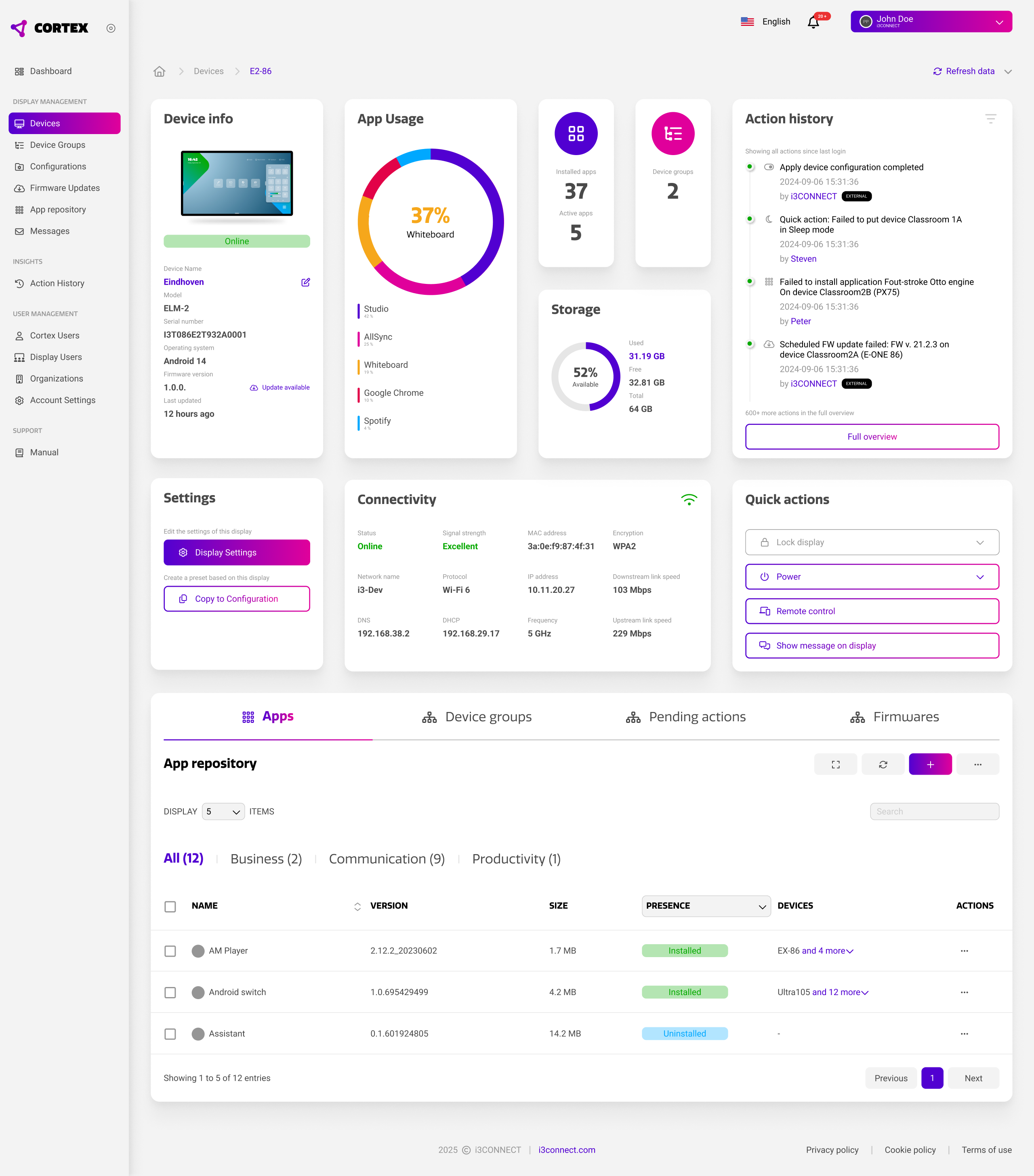
Learn to navigate the Cortex dashboard, device overview, device details and action history to monitor device status in real-time.

Configurations
Manage device settings remotely and save them as a configurations (settings presets) that can be deployed to device groups.

App Management
Install and uninstall apps across your device fleet, even with custom application APKs.

Messaging & Control
Broadcast messages to multiple displays and use remote view and control to provide technical support without interrupting.

Users & Organisations
Create and manage user accounts with appropriate access rights, and create a two way link with external organisations (perfect for resellers and IT service providers).

Access Control
Saving whiteboards can be done automatically! Configure Guest Mode for public or shared spaces, or set up User Profiles for regular users.

Mathias Verheijden
Mathias brings a unique blend of design thinking and technical expertise to Cortex development. With a background in Industrial Design and specialisation in digital solutions and AI technologies, he understands both the technical capabilities and user needs that drive effective display management. As Product Owner for Software at i3CONNECT, Mathias has been instrumental in shaping Cortex into an intuitive yet powerful platform that serves IT and Facilities teams across diverse industries – from education to corporate environments.
Curriculum
-
1
Cortex Quick Start
-
(Included in full purchase)
Learn in your language
-
(Included in full purchase)
Why Cortex?
-
(Included in full purchase)
Dashboard
-
(Included in full purchase)
Device Overview Page
-
(Included in full purchase)
Device Details Page
-
(Included in full purchase)
Device Settings
-
(Included in full purchase)
Test your understanding
-
(Included in full purchase)
-
2
Settings Management
-
(Included in full purchase)
Configurations
-
(Included in full purchase)
Device Groups
-
(Included in full purchase)
App Repository
-
(Included in full purchase)
Sending Messages
-
(Included in full purchase)
Action History Page
-
(Included in full purchase)
Test your understanding
-
(Included in full purchase)
-
3
Users and Organisations
-
(Included in full purchase)
User Management
-
(Included in full purchase)
External Organisations
-
(Included in full purchase)
User Profiles or Guest Mode
-
(Included in full purchase)
Test your understanding?
-
(Included in full purchase)
-
4
Finishing off
-
(Included in full purchase)
Final Lesson
-
(Included in full purchase)
How can we improve?
-
(Included in full purchase)
Frequently asked questions
Do I need technical experience?
This course is designed for anyone responsible for maintaining a fleet of interactive displays. No prior Cortex experience is required.
Do I need a Cortex account?
A Cortex account is Free. While not required to watch the videos, having an account & a usable display allows you to follow along and practice in real-time, which significantly enhances learning.
What if I get stuck or have questions?
The course covers all essential features comprehensively. For specific technical issues or additional questions, our support team is always available via our website: i3-connect.com
Ready to Transform Your Display Management?
Join hundreds of IT and Facilities professionals who have transformed their display management with Cortex.